
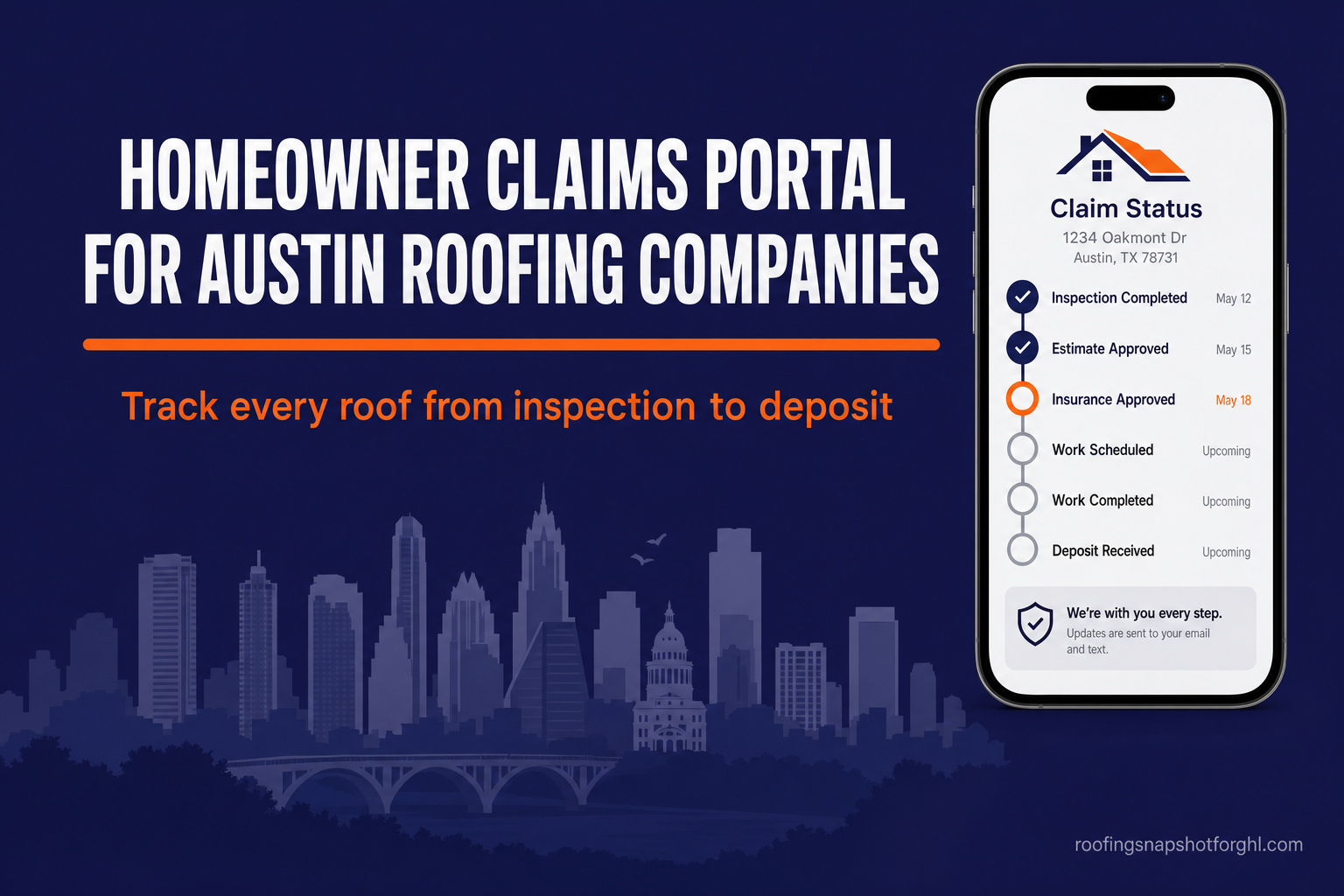
For an Austin roofing company, a homeowner claims portal is a branded, secure page where a customer logs in and sees exactly where their roof stands — inspection → adjuster → supplement → build → deposit — without calling your office. You build it in six steps: map your claim stages, pick a build path, connect your CRM’s status data, automate the stage-change alerts, brand and secure the login, then launch and measure. Done right, it turns the single most common interruption in a restoration shop — “where’s my roof?” — into a link you text once. This playbook walks through each step, and the sourced 2026 data on why it pays off, written for the Austin roofer who’d rather be closing supplements than reading status updates over the phone.
Key Takeaways
- Texas leads the nation with 190 billion-dollar weather disasters (1980–2024), including 126 severe-storm events (NOAA NCEI, 2024) — Austin’s hail-driven claim volume is exactly what buries a manual status system.
- The September 2023 hailstorm caused an estimated $600 million in insured losses across Travis and Williamson counties — the costliest in Austin-area history (NWS via KXAN, 2023).
- Property insurance claims hit a record average cycle of 32.4 days from filing to completed repairs in 2025 (J.D. Power, 2025) — a month-plus “silent gap” where homeowners get anxious and call you.
- 70% of customers use self-service at some point in resolving an issue, and 44% go to a company’s website first (Gartner, 2024); 69% call self-service critical or very important (Salesforce, 2024).
- A self-service interaction costs about $0.10 versus roughly $8.01 for a live phone contact (Gartner, 2019) — roughly 80× cheaper than answering the call.
Table of contents
- What a homeowner claims portal actually is
- Why Austin roofers feel the “where’s my roof?” problem worse
- The status gap, in numbers
- How to build a homeowner claims portal: 6 steps
- What it costs and when it pays off
- Build it yourself, or have it built
- FAQ
What a homeowner claims portal actually is
A homeowner claims portal is a branded, password-protected page — usually a link on your roofing website or a text to the homeowner’s phone — where a customer can log in and see the live status of their roof project and insurance claim, upload documents, view photos, and message your team, without phoning the office. Think of it as the pizza-tracker for a roof: instead of “your order is being prepared,” it’s “adjuster approved — supplement submitted — build scheduled for Tuesday.”
For a restoration-heavy Austin shop, the portal typically mirrors the exact stages a claim moves through:
- Inspection — photos and measurements captured, damage documented.
- Claim filed / adjuster — waiting on the carrier’s adjuster meeting and decision.
- Supplement — line items and code upgrades submitted for approval.
- Build — materials ordered, crew scheduled, roof installed.
- Deposit / final payment — RCV released, invoice closed.
Each stage the homeowner can see is a call they don’t need to make. And because the portal reads from the same pipeline your team already updates, keeping it current costs your office nothing extra.
Why Austin roofers feel the “where’s my roof?” problem worse
Austin sits in one of the most hail-active corridors in the country, and the claim volume that follows a Central Texas storm is unlike a steady repair trade. Texas leads every state with 190 billion-dollar weather and climate disasters between 1980 and 2024, 126 of them severe-storm events (NOAA NCEI, 2024). It isn’t abstract, either: the September 2023 hailstorm alone drove an estimated $600 million in insured losses across Travis and Williamson counties — the costliest hail event in Austin-area history (National Weather Service, via KXAN, 2023).
When one storm drops a season’s worth of claims into a few weeks, every one of those homeowners is now anxiously watching their roof, their deductible, and their carrier — and the default way they check in is your phone line. Multiply “just calling for an update” across 150 open claims and your office manager spends the busy season as a switchboard instead of pushing jobs forward.
That matters because homeowners in home services already rank communication above craftsmanship in their complaints. In Housecall Pro’s home-service research, roughly 38% of customer frustrations were about communication — updates, scheduling, being kept in the loop — rather than the quality of the work itself (Housecall Pro, 2024). You can install a flawless roof and still earn a three-star review because the homeowner felt ignored for three weeks.
The status gap, in numbers
The reason the portal earns its keep is a gap that’s getting wider, not narrower. Property insurance claims now take longer to close than at any point J.D. Power has measured — a record average of 32.4 days from filing to completed repairs in 2025, with catastrophe (storm) claims running even longer (J.D. Power, 2025).
Average property-claim cycle time, in days. Source: J.D. Power U.S. Property Claims Satisfaction Study, 2024 & 2025.
A month-plus window is a long time to leave a homeowner in the dark — and they’ve told researchers exactly what they’d prefer to do instead. 70% of customers use self-service at some point in resolving an issue, and 44% head to a company’s website first before reaching for the phone (Gartner, 2024). Salesforce’s research puts it plainly: 69% of customers say self-service options are critical or very important to them (Salesforce, 2024).
The economics reinforce the preference. Gartner has long pegged a live, assisted contact at roughly $8.01 versus about $0.10 for a self-service interaction — the self-serve status check is on the order of 80× cheaper than the phone call it replaces (Gartner, 2019).
How to build a homeowner claims portal: 6 steps
You don’t need a six-figure software platform to give Austin homeowners a status page. Here’s the build, step by step.
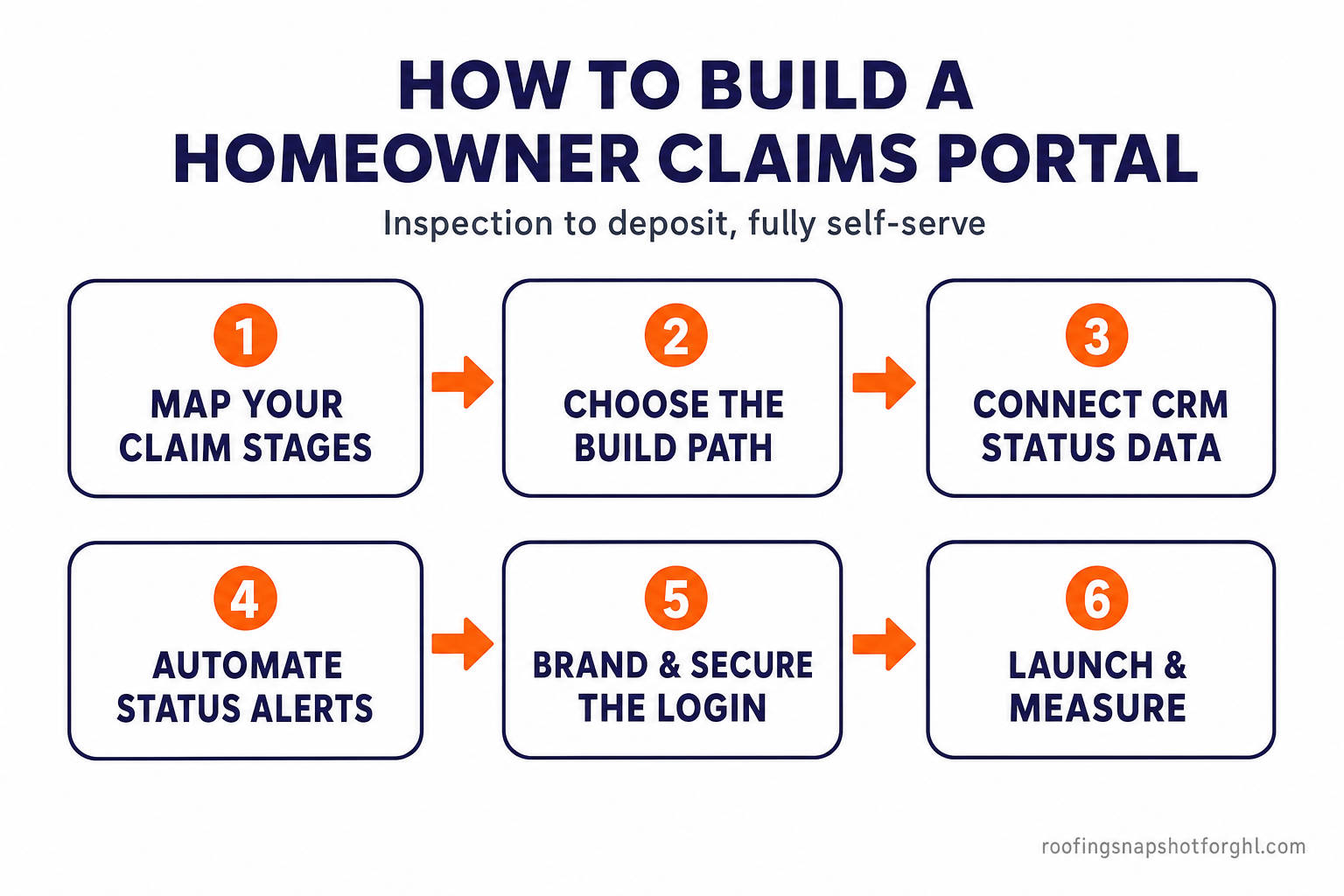
Step 1 — Map your claim stages
Before any software, write down the exact stages a claim moves through in your shop, and decide which ones the homeowner should see. Keep the customer-facing version short and plain — five or six stages, no internal jargon. A homeowner needs “Adjuster approved,” not “RCV released pending O&P supplement.” Your internal pipeline can be as detailed as you like; the portal simply maps each internal stage to a friendly public label and an honest “what happens next.”
Step 2 — Choose the build path
There are two realistic routes, and the right one depends on how much you already run in a CRM:
- Configured route (fastest, cheapest): a client portal layered onto the CRM you already use. If you run GoHighLevel, a portal-style status view can be assembled from your existing pipeline plus CRM and workflow automations — no separate app to maintain.
- Custom route (most flexible): a purpose-built homeowner/job portal with its own login, document uploads, e-signature, photo galleries, and payment — branded entirely to your company and owned by you. This is the path when you want features off-the-shelf tools simply don’t offer.
Start with the configured route if you can. Reach for a custom build only when the fit or the feature set demands it — a principle we cover in depth in when custom software actually pays off for a roofing company.
Step 3 — Connect your CRM’s status data
The portal should never be a second place your team has to update. Wire it to read from the system of record your crew and office already touch — GoHighLevel, JobNimbus, or AccuLynx — so that when a coordinator drags a job from “Supplement” to “Build” in the pipeline, the homeowner’s portal updates itself. This is the make-or-break step: a status page that someone has to remember to update by hand will be wrong within a week, and a wrong tracker is worse than no tracker. If your tools don’t talk to each other today, integrating your roofing stack is the prerequisite.
Step 4 — Automate the stage-change alerts
A portal people forget to open is a portal that doesn’t cut calls. So pair it with a push: every time a claim advances a stage, fire an automatic SMS or email — “Good news — your adjuster approved the claim. Here’s your status page: [link].” This is the same speed-to-lead and follow-up plumbing that powers a good claim follow-up system; you’re simply pointing it at the homeowner and attaching a live link. Now the homeowner is pulled back to self-service at exactly the moment they’d otherwise have called.
Step 5 — Brand and secure the login
The portal represents your company on the homeowner’s phone, so it must look like you and protect their data. That means:
- Your branding — logo, colors, and company name, not a generic vendor screen.
- A real login — a magic link or password so only the homeowner sees their claim.
- The useful extras — document uploads (photos, the signed contract, the scope of loss), e-signature for approvals, and an optional pay-your-deductible or pay-invoice button so the money step isn’t a separate phone tag.
Step 6 — Launch and measure
Roll it out to your next batch of claims and watch two numbers: inbound “status update” calls (should fall) and your review and referral rate (should rise, because homeowners feel informed). Ask a few customers what they’d add. A portal is software, not a monument — the version you launch should get sharper over the first storm season as you see which stages generate the most questions.
What it costs and when it pays off
Approximate cost per customer contact, USD. A self-serve status check is roughly 80× cheaper than a live call. Source: Gartner, 2019.
The configured route — a portal-style view built on the CRM you already pay for — can cost little more than the setup time to wire and brand it. A fully custom homeowner portal is a bigger commitment: fixed-price builds typically run from $3,000 up to $50,000+ for larger platforms, or $75/hour with no minimums, and the result is owned entirely by you.
The right question isn’t the sticker price — it’s whether the reclaimed office hours, the jobs saved from stalling, and the reviews earned from homeowners who felt looked-after add up to more than the build. For a busy Austin restoration shop juggling a hundred-plus storm claims, the office time alone — every self-serve check standing in for an ~$8 phone contact — starts closing that gap fast. Portals tend to pay off when call volume is high, claims are long, and your reputation lives or dies on communication. In storm-driven Central Texas, all three are true.
Build it yourself, or have it built
If you run a capable GoHighLevel setup and have someone comfortable in it, a status view is within reach in-house — map the stages, expose the pipeline, and wire the alerts. If you’d rather it be done properly the first time, that’s exactly the kind of thing we build: a branded homeowner portal wired to your existing tools, launched without pulling your team off roofs. Either way, the winning move for an Austin roofer this storm season is to stop answering the same question 150 times and turn it into a link you send once.
Frequently asked questions
What is a homeowner claims portal for a roofing company?
It's a branded, secure page where a homeowner logs in and sees the live status of their roof project and insurance claim — inspection, adjuster, supplement, build, and deposit — along with their documents, photos, and a way to message your team. It replaces the constant 'where's my roof?' phone calls with a link the homeowner can check themselves, on their own phone, any time.
Do I need custom software, or can I build a portal on my existing CRM?
Start with what you have. If you run GoHighLevel, a portal-style status view can often be assembled from your existing pipeline plus CRM and workflow automations. A fully custom homeowner portal — with its own login, uploads, e-signature, and payments, fully owned by you — makes sense when off-the-shelf tools can't give you the features or the fit you need.
How much does a homeowner claims portal cost to build?
It depends on the route. A portal layered on a CRM you already pay for can cost little more than the setup time. Our custom software projects are fixed-price from $3,000 up to $50,000+ for larger platforms, or $75/hour with no minimums. The better question is whether the reclaimed office hours and saved jobs add up to more than the build — for a high-volume Austin storm shop, they usually do.
Will the portal create more work for my office team?
It shouldn't. The whole point is to wire the portal to read from the system your team already updates — GoHighLevel, JobNimbus, or AccuLynx — so moving a job along your pipeline updates the homeowner's status automatically. If a portal requires a second, manual place to keep current, it's built wrong.
Why does Austin specifically need this?
Texas leads the nation with 190 billion-dollar weather disasters from 1980–2024 (NOAA NCEI, 2024), and the September 2023 hailstorm alone caused an estimated $600M in Austin-area insured losses (NWS via KXAN, 2023). That storm-driven volume floods a manual status system exactly when you can least afford the distraction.
Does a portal actually improve reviews and referrals?
It targets the most common complaint in home services. Roughly 38% of customer frustrations are about communication rather than work quality (Housecall Pro, 2024). A homeowner who always knows where their roof stands feels looked-after — and looked-after homeowners leave better reviews and send more referrals.
About the author
Priya Vance cut her teeth as a supplement coordinator for a Front Range roofing company, shepherding insurance claims from first inspection through final deposit. She is obsessed with the unglamorous middle of the funnel — the follow-up cadences, document chasing, and adjuster timelines where most roofing revenue quietly leaks out — and she translates that claims-room experience into systems that never let a job stall between inspection and check.
Related posts
- The insurance claim follow-up system that stops jobs from dying
- Why Atlanta roofing companies outgrow spreadsheets — and when custom software pays off
- Roofing sales pipeline: the 7 stages from storm lead to signed deposit
- GoHighLevel integrations for New York roofing companies
Sources
- NOAA NCEI — Billion-Dollar Weather and Climate Disasters: Texas (2024)
- National Weather Service, via KXAN — September 2023 hailstorm caused ~$600M in Austin-area damage (2023)
- J.D. Power — 2025 U.S. Property Claims Satisfaction Study (2025)
- J.D. Power — 2024 U.S. Property Claims Satisfaction Study (2024)
- Gartner — Only 14% of customer service issues fully resolved in self-service (2024)
- Salesforce — State of the Connected Customer (2024)
- Gartner — Cost per contact: self-service vs. live channels (2019)
- Housecall Pro — Home Service Customer Service Report (2024)