If you run a roofing company, chances are you’re juggling a lot—sales calls, inspections, estimates, crews, and customer expectations. In all that chaos, your CRM should be helping you stay organized, not holding you back.
But here’s the truth: many roofing contractors unknowingly make CRM mistakes that cost them leads, time, and revenue.
Whether you’re just getting started with a CRM or looking to clean up a system that’s not working, this article will walk you through 6 common CRM mistakes roofing contractors must avoid—and how to fix them using a smarter, automated setup.
Quick Takeaways
🚨 Slow or missed follow-ups lose jobs fast
🧱 Generic CRMs don’t match roofing workflows
📉 Poor pipeline tracking equals lost deals
⌛ Manual tasks waste time and increase errors
📅 No online scheduling leads to missed opportunities
💰 Many roofers overpay for tools they barely use
Mistake 1 Not Following Up With Leads Immediately
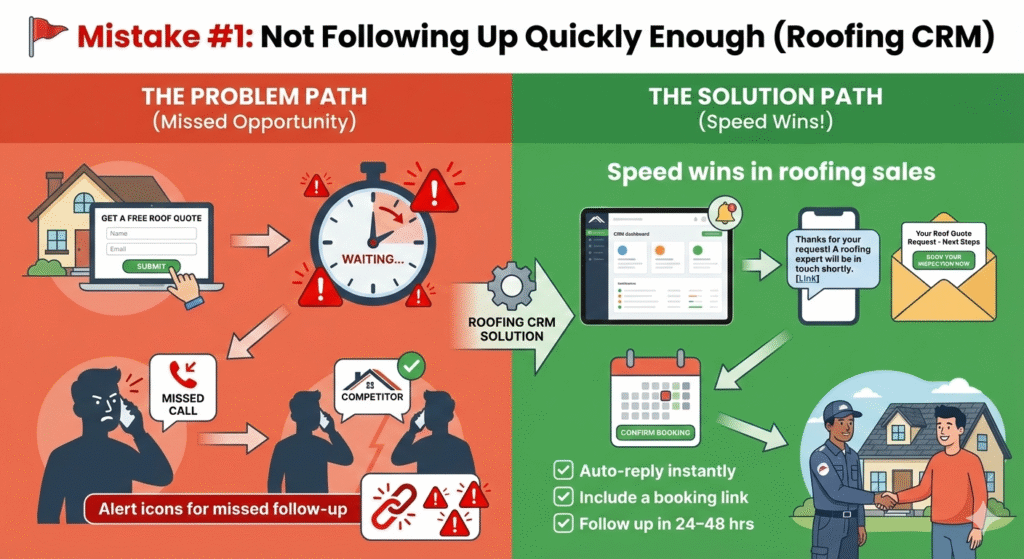
Speed is everything in roofing sales. If a lead reaches out and doesn’t hear from you quickly, they’ve already moved on to another contractor.
What Happens
- You miss calls or form submissions while on the roof
- Manual callbacks get delayed
- Leads go cold within hours
Fix It
- Use a CRM that sends automated SMS and emails the second a lead comes in
- Include a link to your online scheduler so they can book without waiting
- Set up automated reminders to follow up again in 24–48 hours
✅ Bonus: Our Roofing Snapshot comes with a done-for-you follow-up workflow that starts conversations for you instantly.
Mistake 2 Using a CRM That’s Not Built for Roofers
Most CRMs are built for desk jobs, not crews in the field. Roofing businesses need a system that mirrors their real-world process—estimates, inspections, insurance, scheduling, and job completion.
Symptoms
- You can’t see where jobs stand
- Your team forgets to update the stages
- You’re forcing a square peg into a round hole
Fix It
Look for a CRM (like GoHighLevel + Roofing Snapshot) with built-in pipelines like
- New Lead
- Inspection Scheduled
- Estimate Sent
- Insurance Approved
- Job Scheduled
- Completed
- Review Requested
📲 These stages are drag-and-drop, mobile-friendly, and preloaded in our Roofing Snapshot.
Mistake 3 Not Tracking Leads in a Visual Sales Pipeline
When leads get stuck or forgotten, you lose business. If you’re using a spreadsheet—or worse, your memory—to track leads, you’re playing a risky game.
What Goes Wrong
- No follow-up after estimate
- Forgotten callbacks
- No clear forecast of upcoming jobs
Fix It
Use a visual sales pipeline where you can:
- Drag leads from one stage to the next
- Trigger automations when leads move stages
- Filter leads by status or priority
💡 For example: When a lead moves to “Estimate Sent,” automatically trigger a 2-day follow-up reminder.
Mistake 4 Wasting Time on Manual Scheduling
Back-and-forth phone calls to book inspections or jobs waste time and create friction for homeowners. And every delay increases your chance of losing that lead.
The Problem
- Leads get busy and forget to call back
- You can’t always answer the phone
- Appointments fall through the cracks
Fix It
Add an online booking calendar directly into your CRM so:
- Customers can choose a time that works for them
- You get notified instantly
- They receive automated reminders via text/email
✅ Our Roofing Snapshot includes a customizable calendar that syncs with your availability and triggers job reminders.
Mistake 5 Ignoring Cold or Past Leads
You’ve probably paid for dozens (or hundreds) of leads that never turned into jobs. If you’re not re-engaging those leads, you’re leaving serious money on the table.
The Problem
- Past estimates go cold
- No reactivation efforts
- Leads forget about you
Fix It
Create an automated reactivation campaign to:
- Send seasonal inspection reminders (e.g., before storm season)
- Offer discounts on roof maintenance
- Follow up with leads who never booked
These sequences should run automatically every 30–90 days, staying in touch even when you’re not thinking about it.
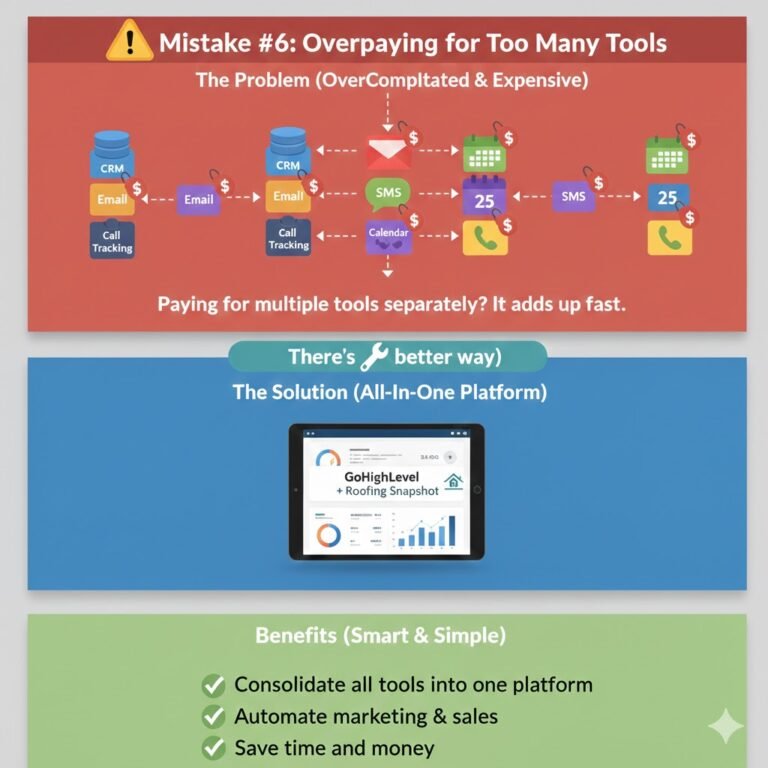
Mistake 6 Overpaying for CRM Tools You Don’t Use
Many roofing businesses use 3–4 separate tools (CRM, email, SMS, calendar, and call tracking) and still don’t get the results they want. The problem? Tool overload—and unnecessary costs.
Common Scenario
- Paying $300–$600/month for multiple platforms
- Still manually following up
- Limited support or training
Frequently Asked Questions
Do I really need a CRM for a small roofing business?
How is the Roofing Snapshot different from a regular CRM?
It’s pre-built specifically for roofing workflows—no need to configure from scratch. Just plug it in and start using it.
Can I use this if I already have GoHighLevel?
Will it work for insurance-based roofing jobs?
Is training included?
If you get the Roofing Snapshot from us, we include setup support and walkthrough videos to make onboarding easy.
Final Thoughts
Your CRM should work for your roofing business—not against it. By avoiding these six common CRM mistakes, you’ll save time, convert more leads, and grow your business with less stress.
And the best part? You don’t need to build this system from scratch.
👉 We provide a ready-to-launch Roofing Snapshot preloaded with all the tools, automations, and workflows you need to run a streamlined roofing business inside GoHighLevel.